Program with Paint Brushes, Not Pencils

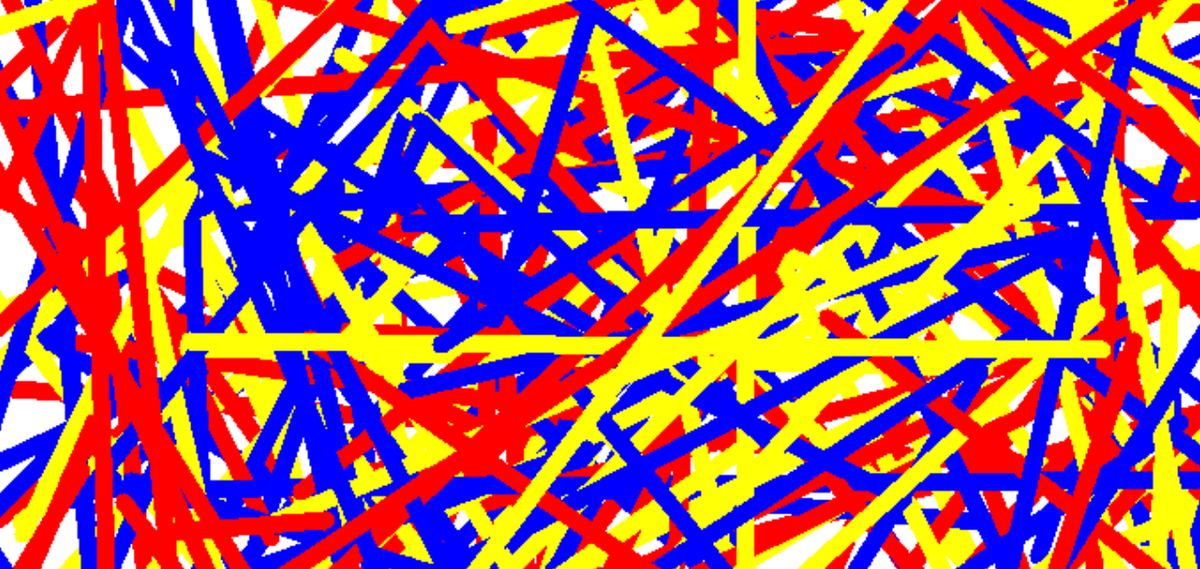
In 2022 while I was still teaching high school CS, I wrote a Python class called PaintBrush for my students to use. This took 20-30 minutes on a Sunday afternoon with my laptop and a cup of coffee. Today, that code could be written by Claude in 20-30 seconds.
In 2022, my goal was to get students motivated with a lesson where their code could do something visual and fun. Today, this sort of lesson serves that same purpose and can help serve another: motivating students to write code by hand when an LLM could easily do it for them.
Let’s get concrete and look at how the PaintBrush lesson worked.
import turtle
import random

class PaintBrush():
  def __init__(self):
    self.t = turtle.Turtle()
    self.t.color("black")
    self.t.width(3)
    self.t.speed(6)
    self.t.hideturtle()
    self.randomness = 0

  def line(self, x1, y1, x2, y2):
    self.t.penup()
    def get_delta():
      return random.randint(-self.randomness * 5, self.randomness * 5)

    self.t.goto(x1 + get_delta(), y1 + get_delta())
    self.t.pendown()

    self.t.goto(x2 + get_delta(), y2 + get_delta())

  def setrandomness(self, amount):
    self.randomness = amount

  def setcolor(self, color):
    self.t.color(color)

  def setwidth(self, width):
    self.t.width(width)
With this class, students could write code like:
from paint import PaintBrush

brush = PaintBrush()

# Draws the letter C
brush.setrandomness(0)
brush.setwidth(10)
brush.line(-50, 100, -100, 100)
brush.line(-100, 100, -100, 0)
brush.line(-100, 0, -50, 0)
A PaintBrush object works differently than the turtle class that is so familiar in the history of CS pedagogy, allowing students to draw lines between specific coordinates in the plane. The PaintBrush class is an abstraction for students.
Here were the instructions I gave students after we reviewed the basics of the PaintBrush together:
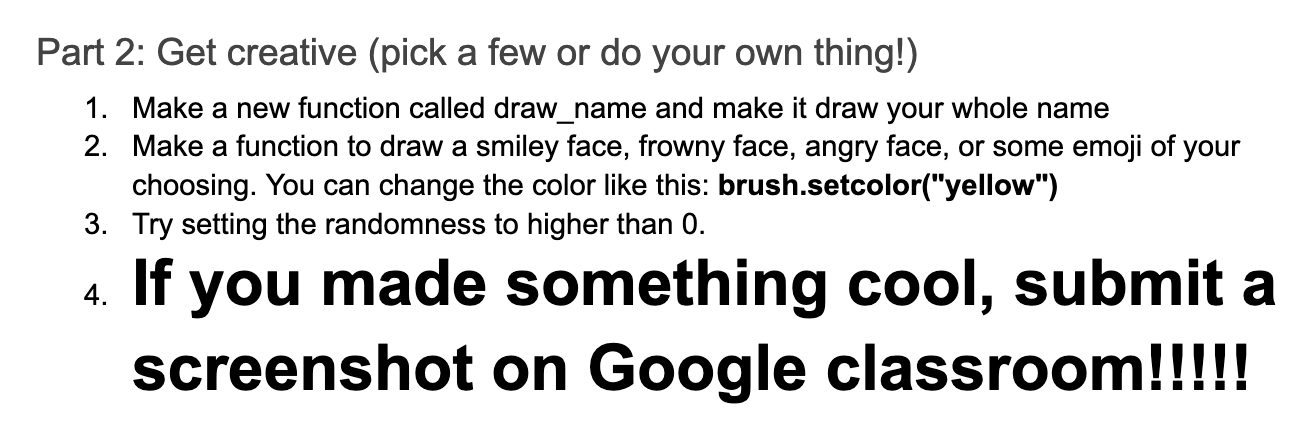
In 2022, students wrote this code by hand, because there wasn’t another option. My hypothesis is that in 2026, students would be more likely to write code by hand for this lesson because of how easy it is to produce tangible results.
If lessons are repetitive, tedious, or overly prescriptive, I wouldn’t blame a student for generating code with AI. “Write a loop to print a multiplication table” should yield different student engagement from “can you use a concept we know to make 1000 lines in your painting?”
The specifics of the PaintBrush lesson aren’t as important as the overall concept. Programming is a tool for creative expression, and high-level abstractions allow students to engage with programming in different ways. If print statements are pencils in art class, abstractions like PaintBrush are, well, paint brushes.
The PaintBrush here isn’t unique in being a “paint brush”. Turtle, processing, and pygame are all abstractions in this vein. However, any individual abstraction is not interesting to students for long. Your twelfth turtle drawing doesn’t “hit” with the same excitement as the first or second.
Because of the speed with which teachers can generate new abstractions with LLMs, we aren’t stuck pulling just from the existing menu. We can write code that lets students easily make music, data visualizations, photo filters, games, videos, etc.
With the right abstractions, I believe we can convince students to interact with the code itself without using AI as a shortcut. It doesn’t matter if an LLM could generate their code more quickly. Learning to program is about fostering a sense of self efficacy and pride in students as they create work that’s authentically theirs. We need every tool we can find to help students see that.